A proposal to redesign Garmin Connect, transforming a clinical data dashboard into a contextual health intelligence layer for serious athletes.
01: THE CHALLENGE
Garmin makes some of the most respected fitness devices in the world, used by everyone from everyday runners to elite athletes, mountaineers, and military professionals. But its companion app, Garmin Connect, can sometimes feel harder to connect with on a human level. Users are given a huge amount of biometric data, yet often without enough context or practical guidance to help them understand what it means or how to act on it in their daily lives.
"The hardware is excellent. The software leaves a lot to be desired, and it's becoming outdated."
Vitor, Garmin Instinct user for 2.5 years
This goes beyond a minor usability issue. As competitive platforms continue to make health insights feel more intuitive and actionable, Garmin Connect can sometimes feel overly focused on data, offering plenty of information but less clarity, interpretation, and practical day to day guidance.
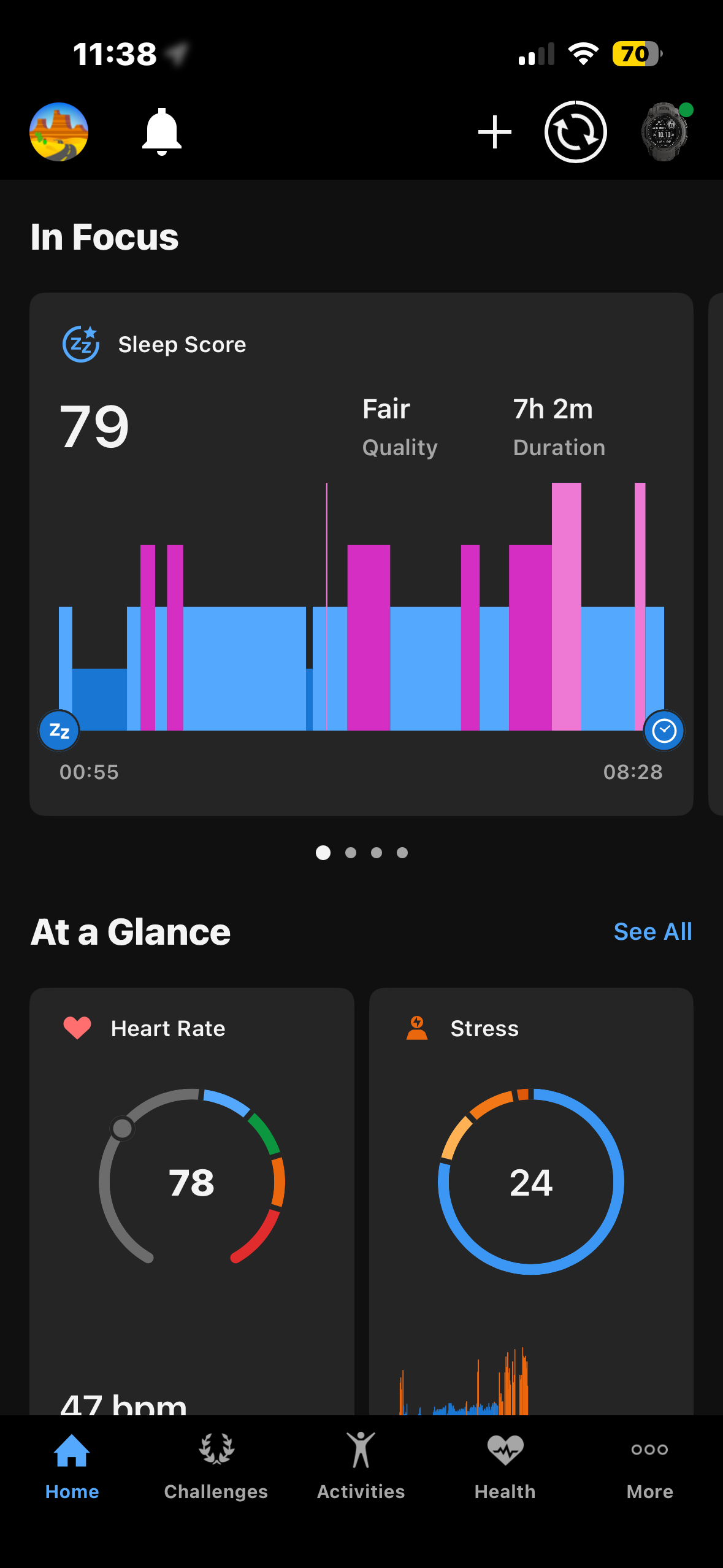
Users see raw numbers, a Sleep Score of 72, HRV of 41, but receive no contextual interpretation. What does it mean for today's training?
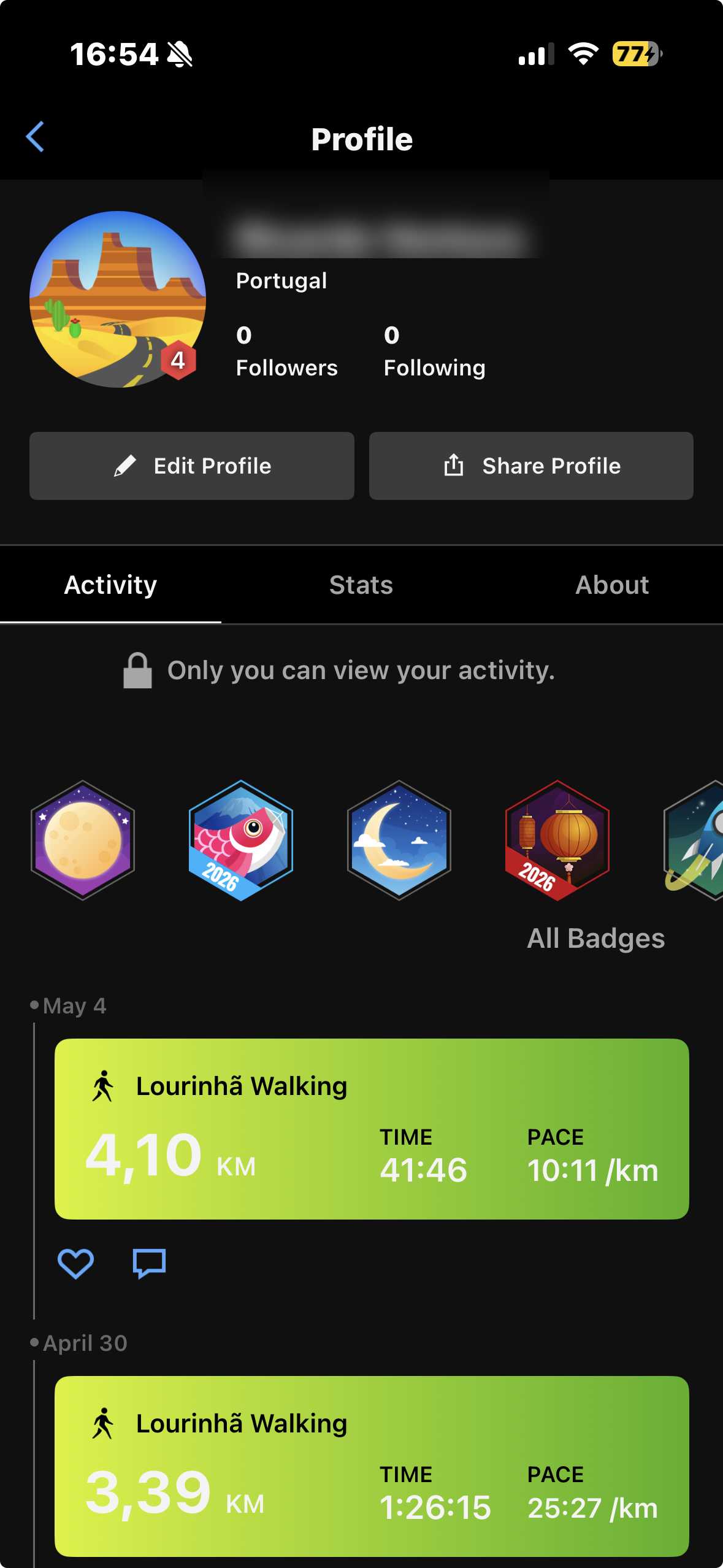
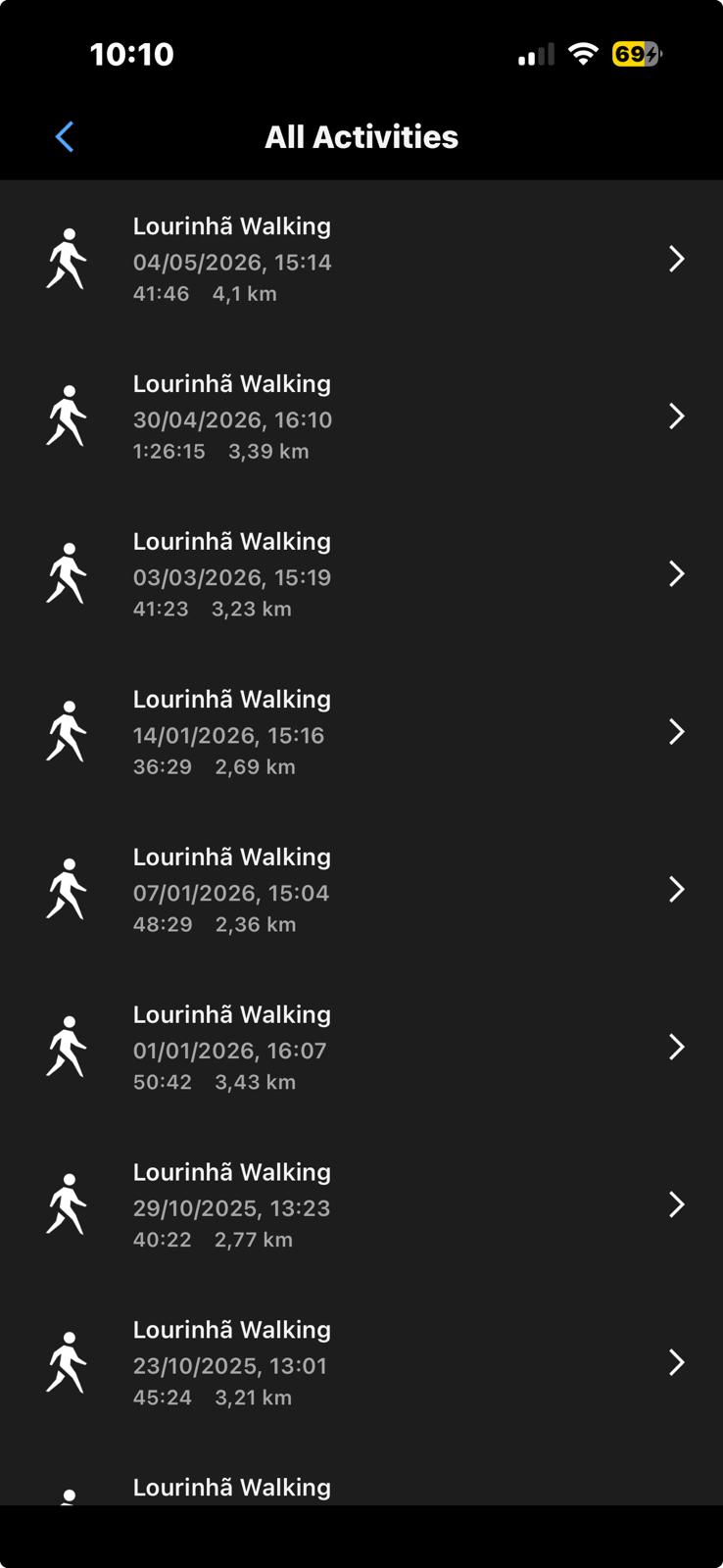
Activities surface in three places (Home, Profile, Activities tab) with different formats each time. Users can't form a consistent mental model of where their data lives.
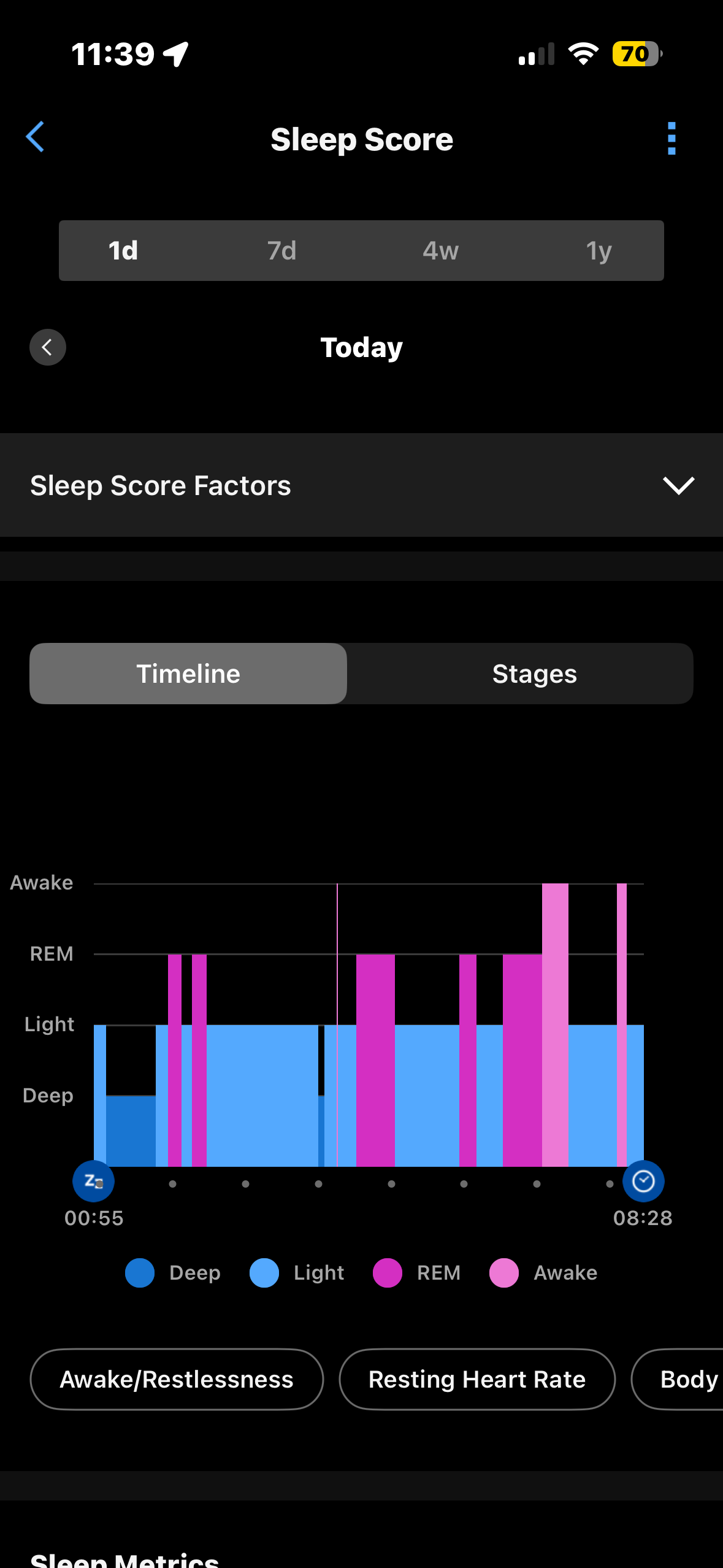
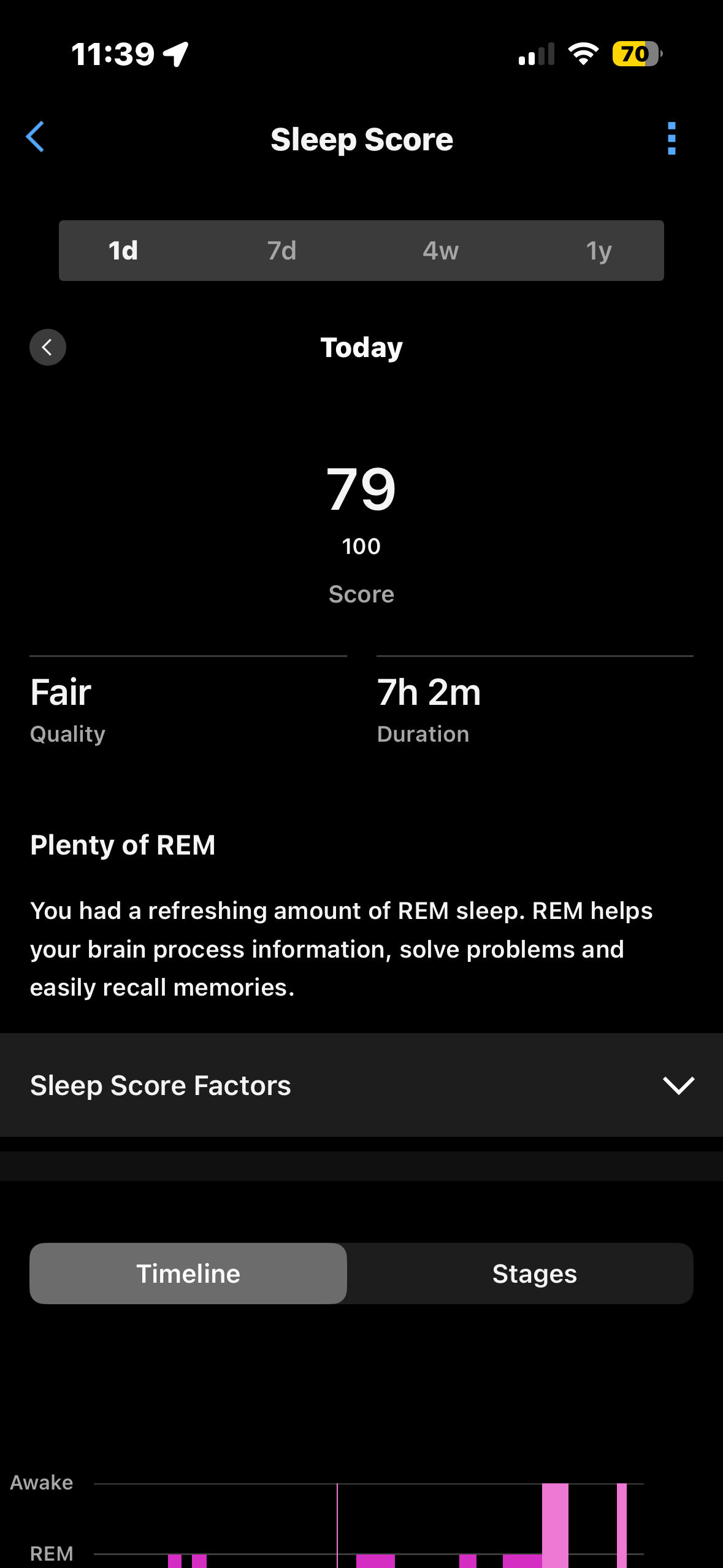
Light sleep and wake periods share nearly identical shades of pink. Users can't distinguish stages without reading the legend on every single view.
To find a specific HRV reading from three weeks ago, you scroll backwards date by date. No filtering, no search, no range selection.
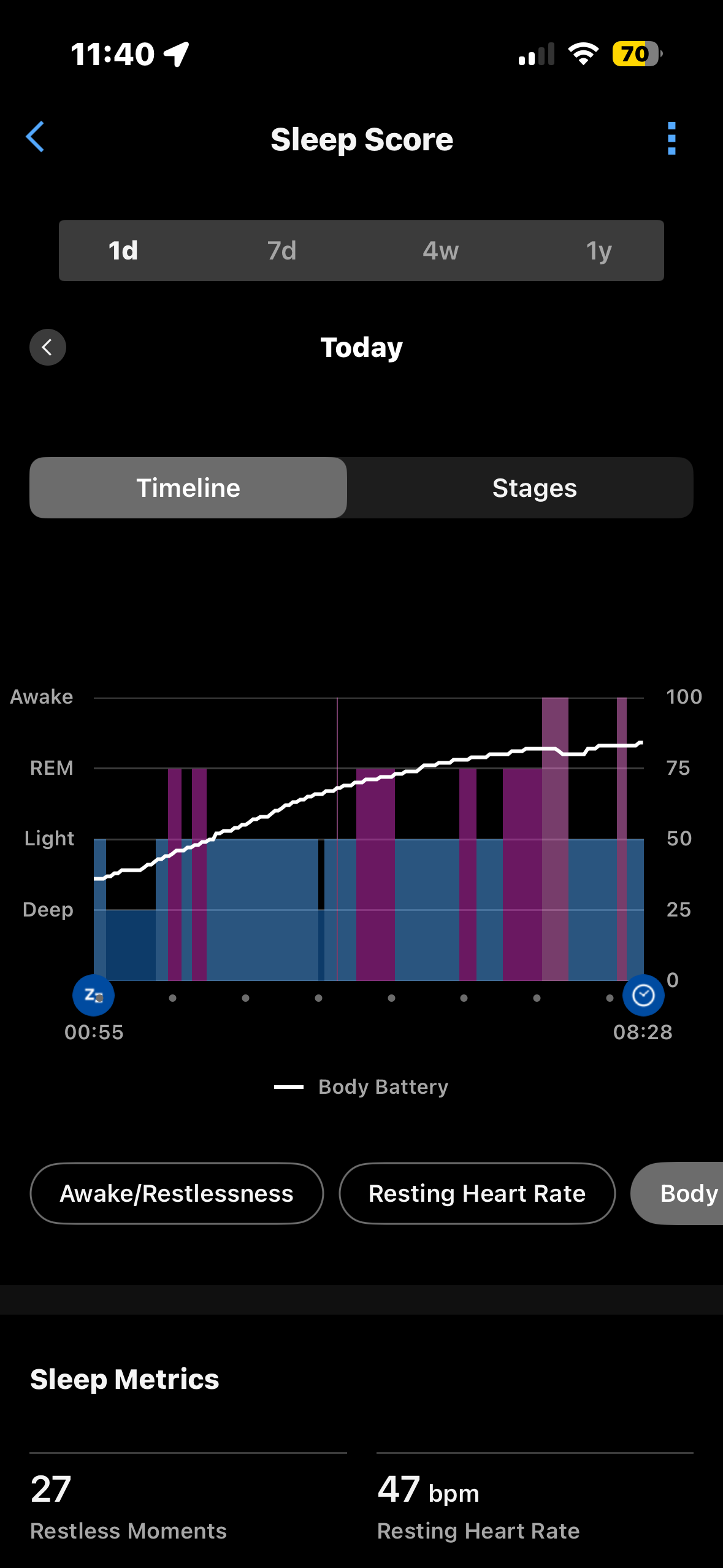
Body Battery is a single number with no trend and no context. Users cannot tell if they are recovering well or draining faster than usual compared to recent days.
Each day is logged in isolation. There is no view of whether sleep, steps and stress targets are being met consistently over time.
Original App: Identified Pain Points
Screenshots from Garmin Connect prior to redesign, captured during user observation sessions.
Home: data dump
Sleep: ambiguous colours
Activities: unintuitive path
Body Battery: buried in data
02: RESEARCH, LANDSCAPE & STRATEGY
User interviews, App Store synthesis, and a competitive audit all pointed to the same conclusion. Garmin Connect has the richest biometric data in the category. The interface just does not make it feel that way.
Users check sleep and readiness every morning but numbers without context leave them guessing. A score tells you nothing about whether to train hard today.
Competitors make health data feel intuitive and actionable. Garmin has the hardware precision advantage but it is buried under interface complexity.
Garmin does not need to copy competitors. It needs to build a UI layer that makes its unmatched biometric data legible, contextual, and motivating.
Three strategic decisions that shaped every design choice.
Morning Context First
Replace the data dump home screen with a contextual morning summary. Instead of numbers, give users a sentence: You slept well. HRV is trending up. Your body says go hard today. Surface the watch motivational phrases in the app interface.
Sleep as a Story
Redesign the sleep module with accessible, distinct colours across all four stages. Add a plain language nightly summary at the top.
All Activities List
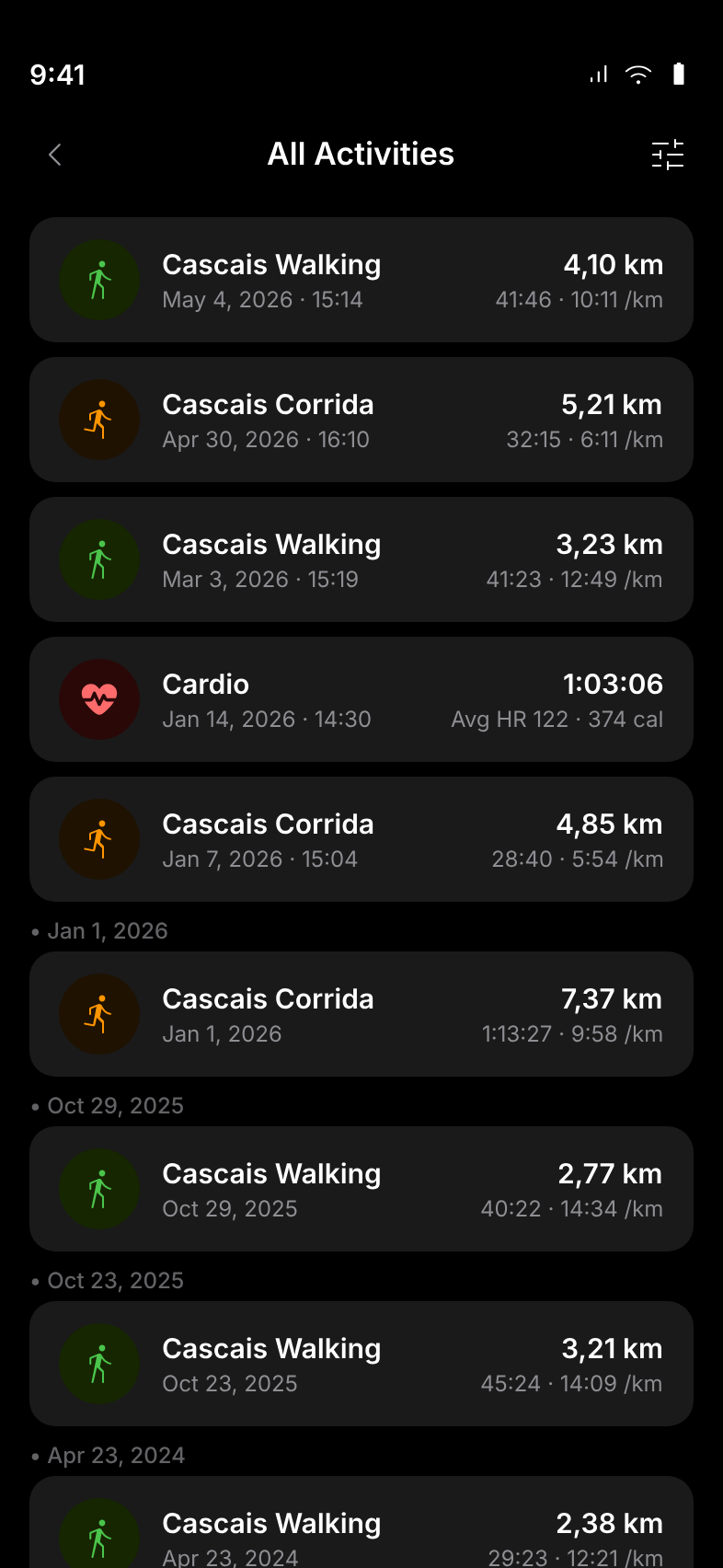
Introduce a unified All Activities list as a dedicated entry point, giving users a clear, chronological view of every logged workout.
03: PROCESS
This project followed a Design Thinking approach from the start. Lead with empathy, understand the real problem beneath the surface complaints, then ideate and prototype before committing to a final direction.
Discovery & Audit
Immersed in Garmin Connect as an active user. Documented every friction point and delight. Ran a heuristic evaluation and catalogued issues.
User Research
Conducted 60 minute contextual interviews observing participants in the live app. Supplemented with App Store review synthesis to surface patterns at scale.
Synthesis & Framing
Built an empathy map and applied the 4U framework to every finding. Narrowed issues down to 3 clearly defined strategic opportunities.
Design & Iteration
Started with low fidelity wireframes. Studied health apps in the market to identify the strongest solution for Garmin Connect.
Validation & Handoff
Shared interactive prototypes with Garmin users for informal sessions. Observations led to final adjustments and annotated documentation.
04: THE REDESIGN
Five key screens redesigned with a single principle: every screen should answer a question, not just display a number.
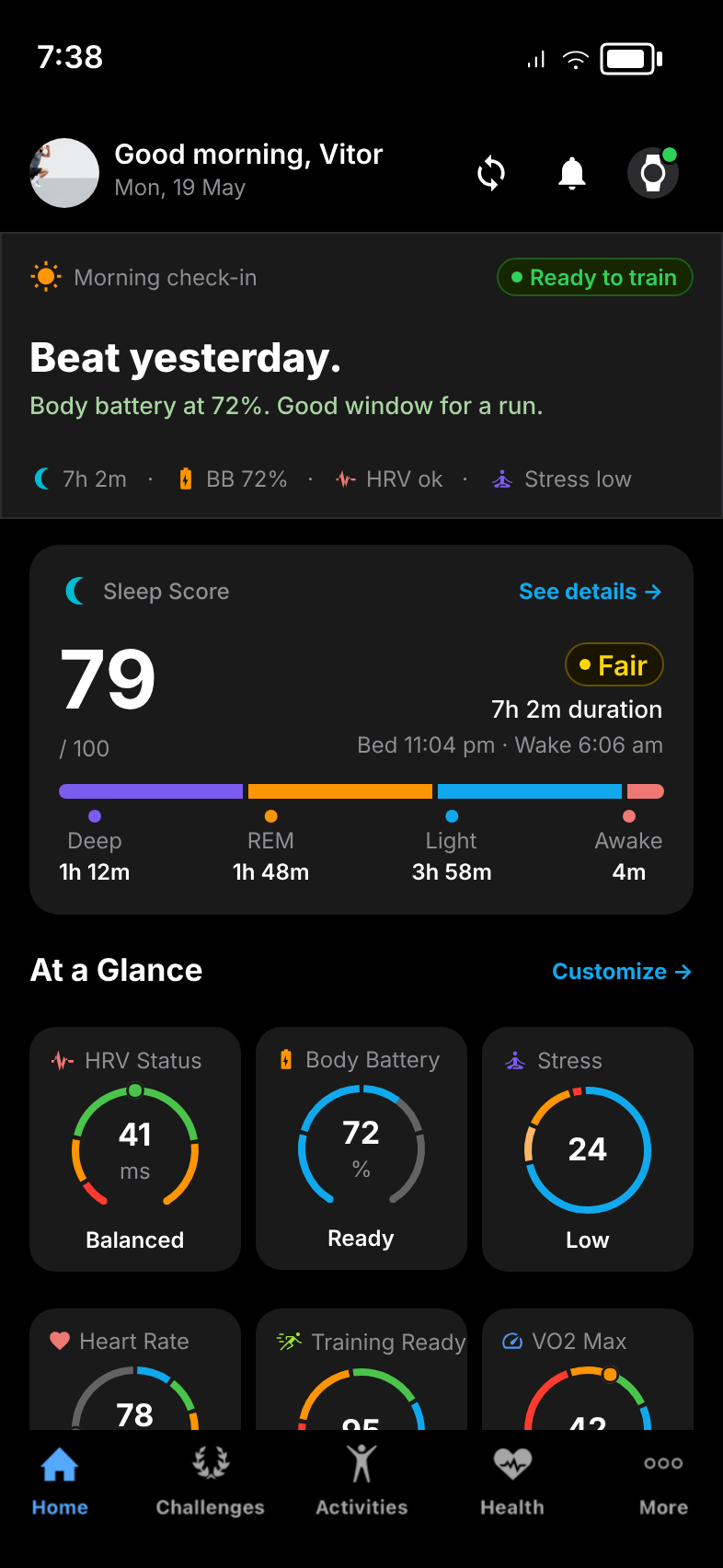
The home screen is structured as a three-tier morning narrative: a coaching voice recommendation at the top ('You're ready to train'), a compact metric strip below, and At a Glance ring gauges for all key health pillars. Every element answers a question rather than just displaying a number.
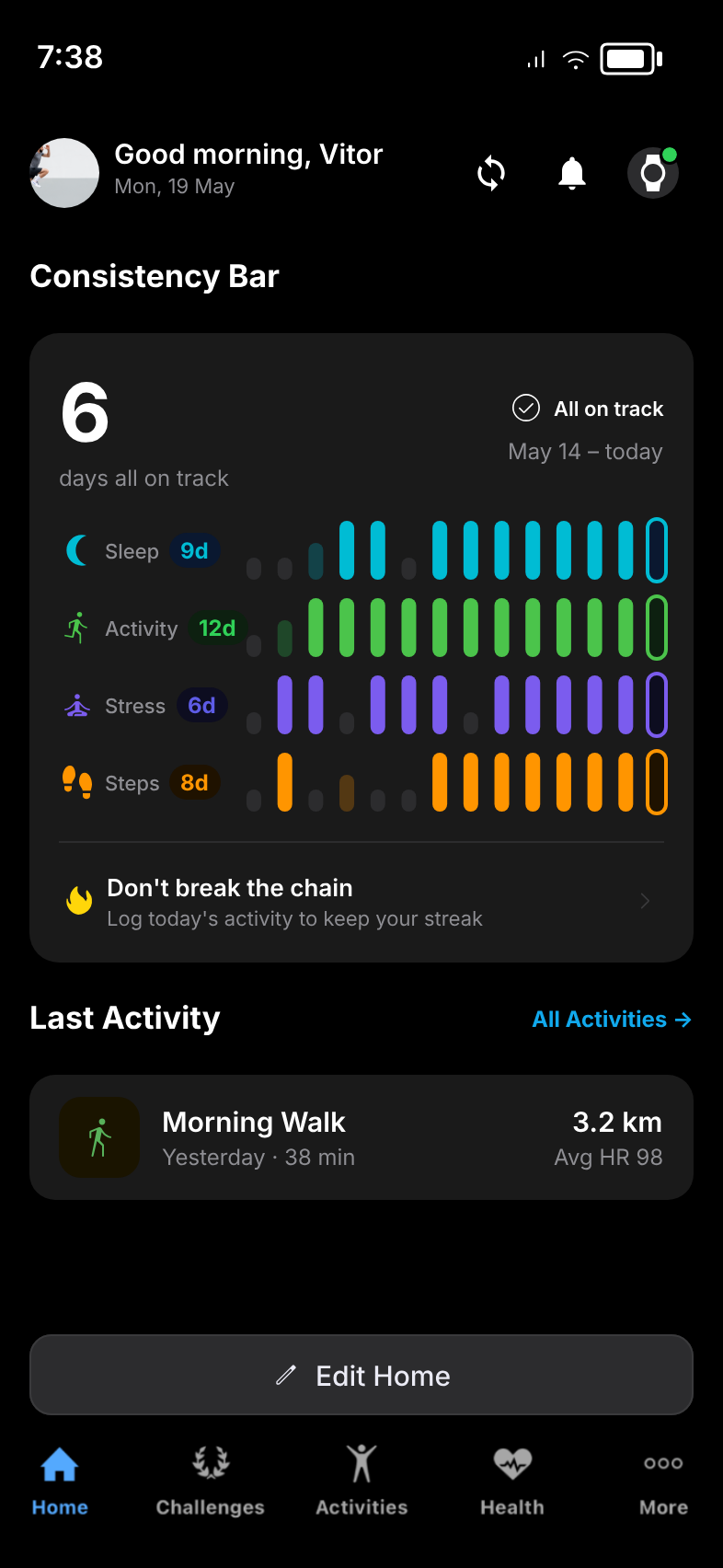
Habit Formation Feature
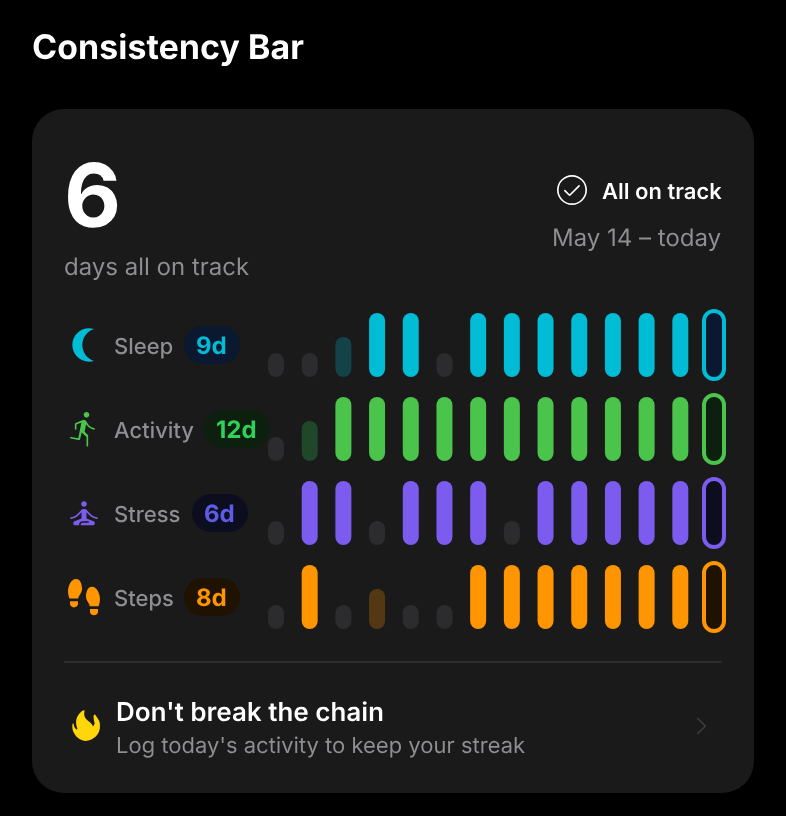
Inspired by Seinfeld's 'don't break the chain' method. Each health pillar (Sleep, Activity, Stress and Steps) gets its own 14-day bar chain filled in its signature colour. The hero number counts consecutive days all four pillars were on track simultaneously.
Chain mechanic
14 day bars per pillar; height encodes quality: stub = miss, medium = partial, tall = on track.
Hero metric
Counts only days when all 4 pillars are on track simultaneously, the true consistency signal.
Per-pillar streaks
Each pillar shows its own streak badge to pinpoint the weakest link (e.g. Sleep 9d, Stress 6d).
CTA
'Don't break the chain' with today's log prompt, action oriented rather than data passive.
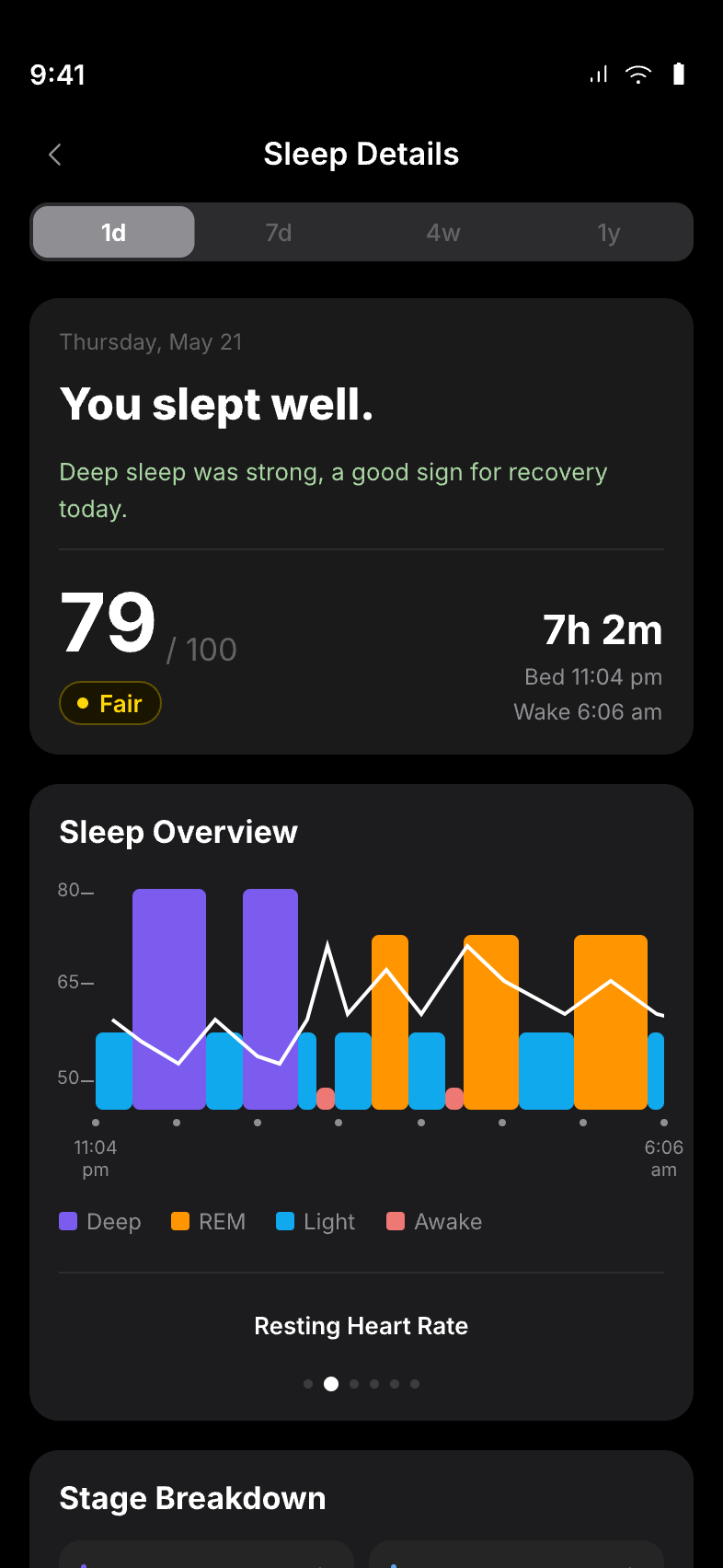
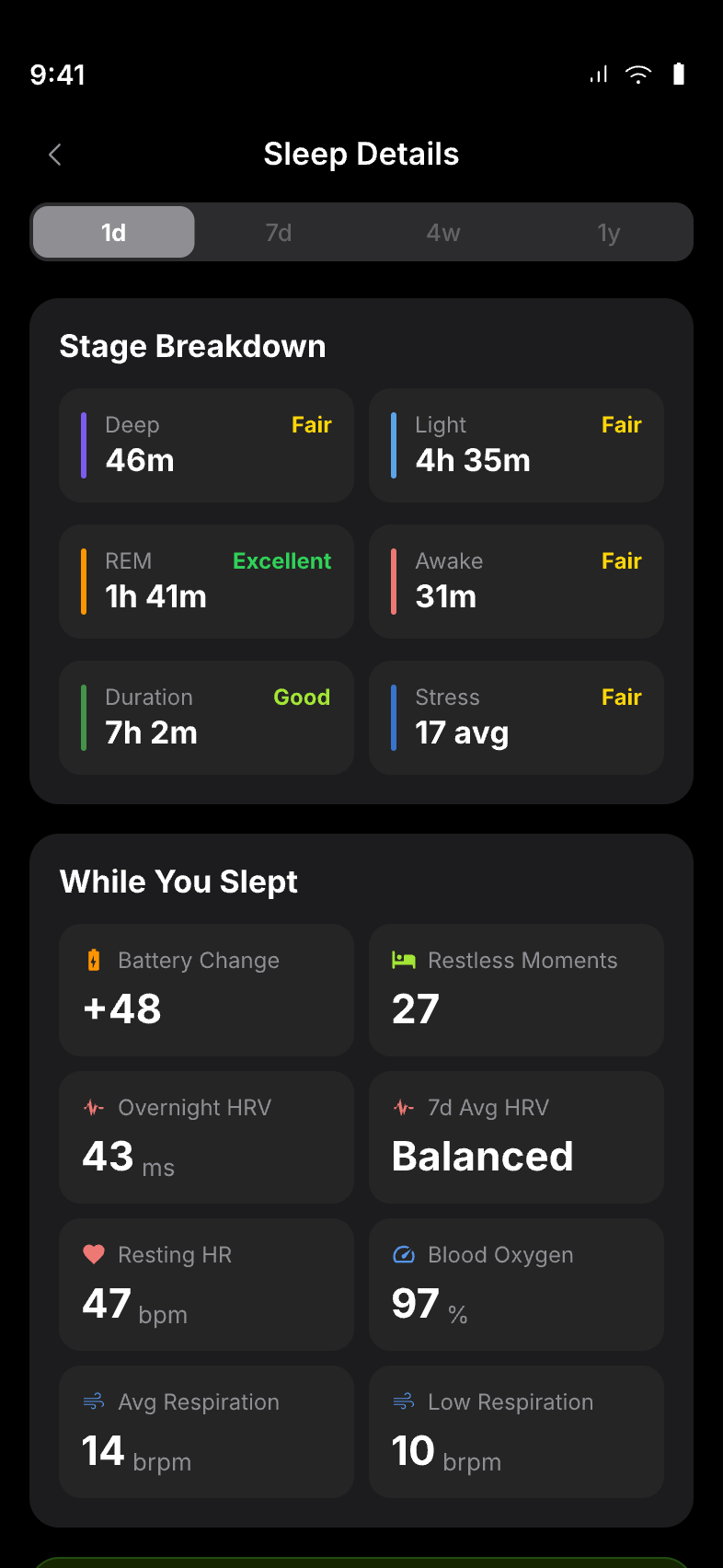
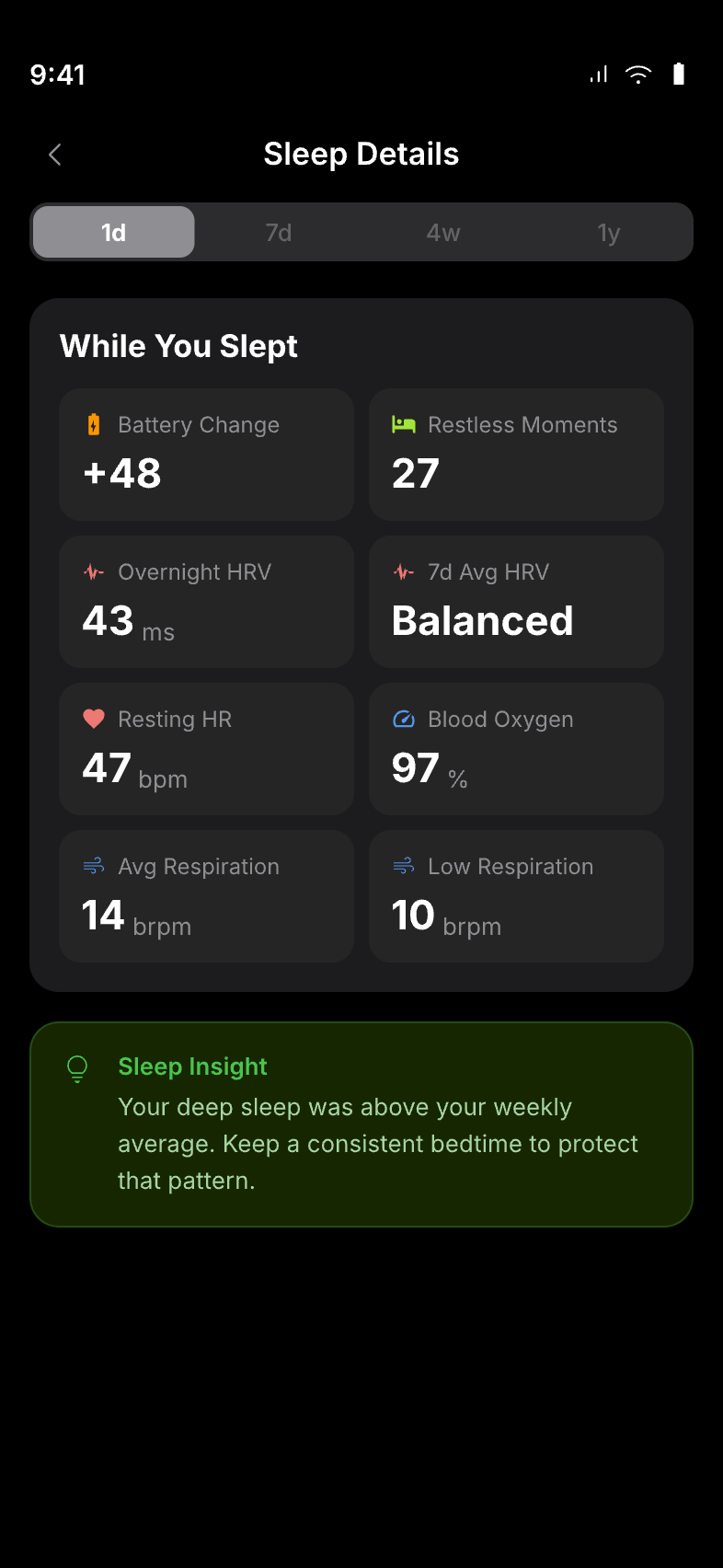
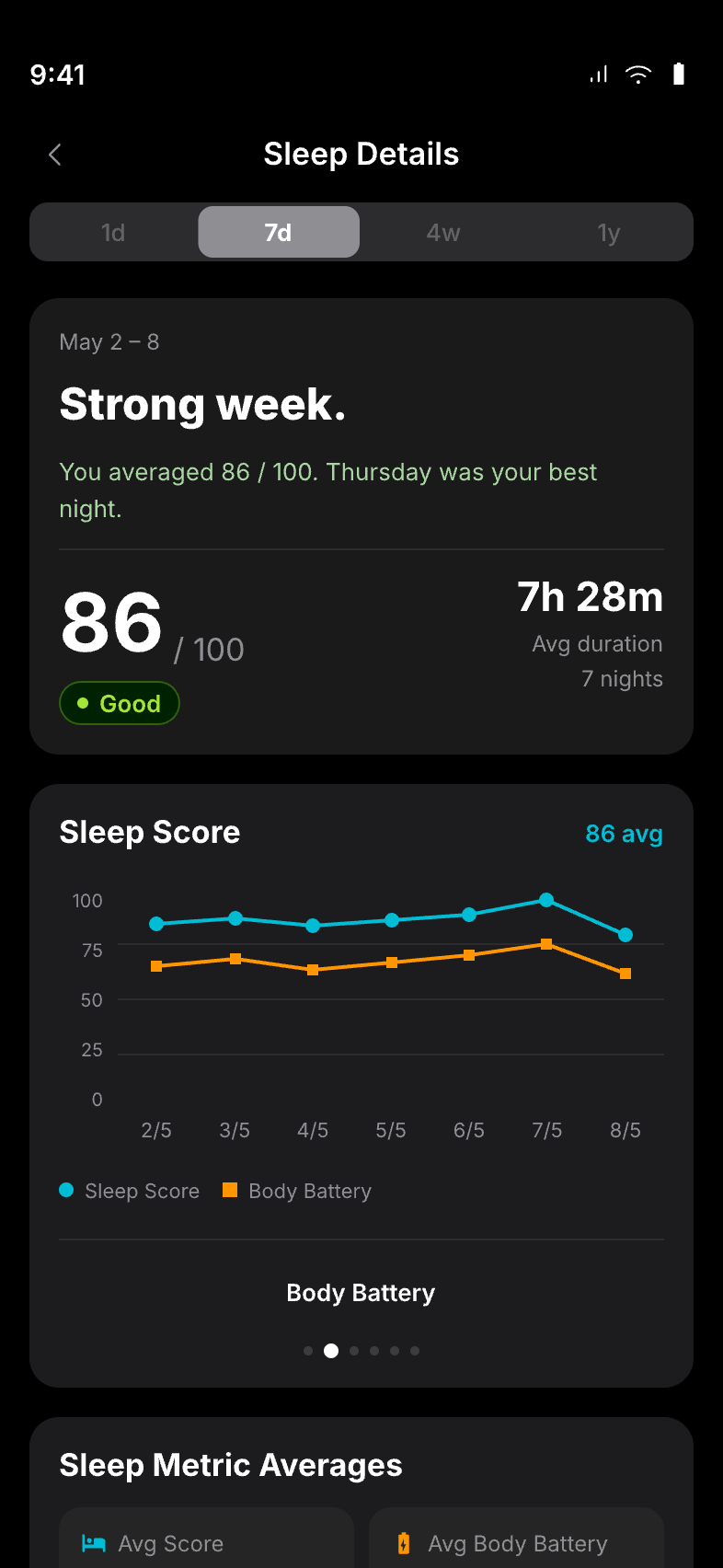
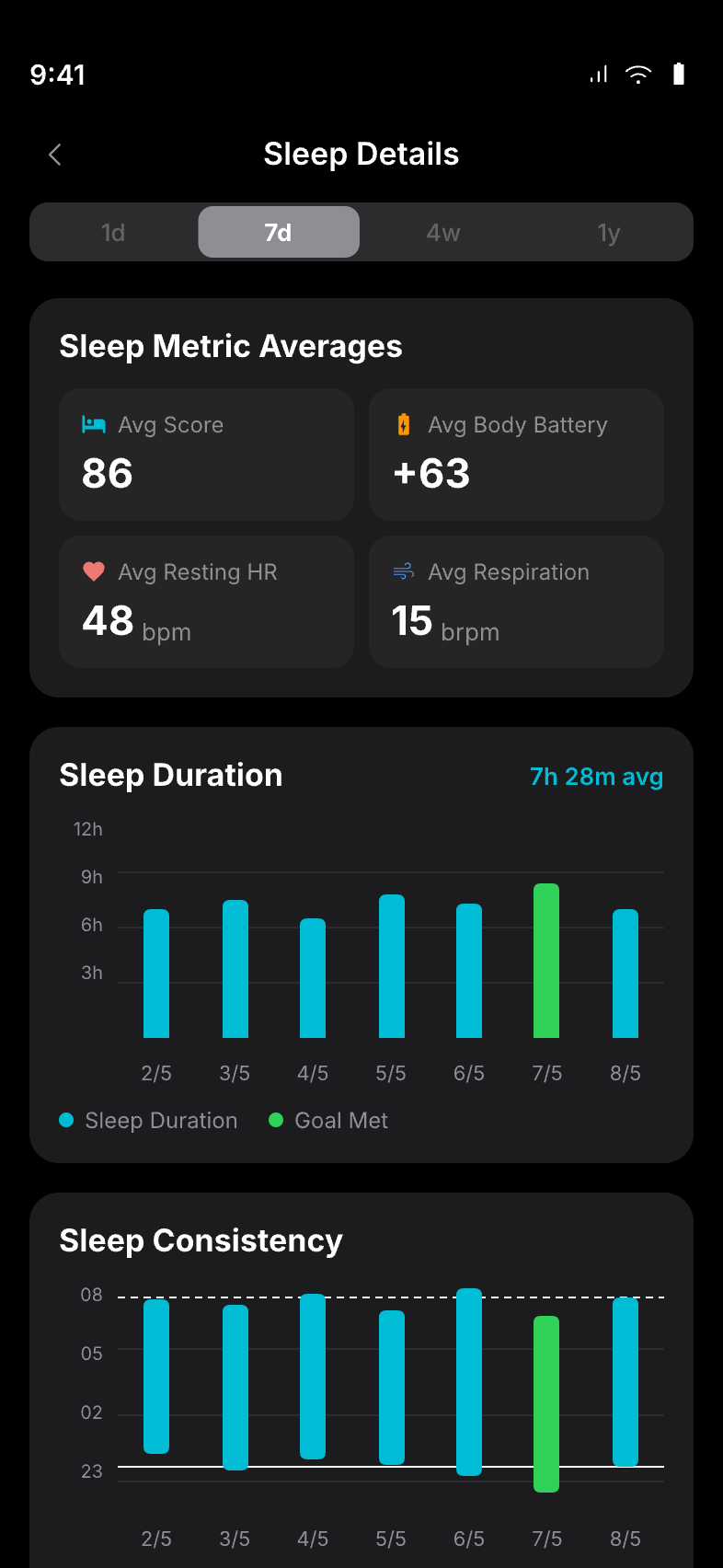
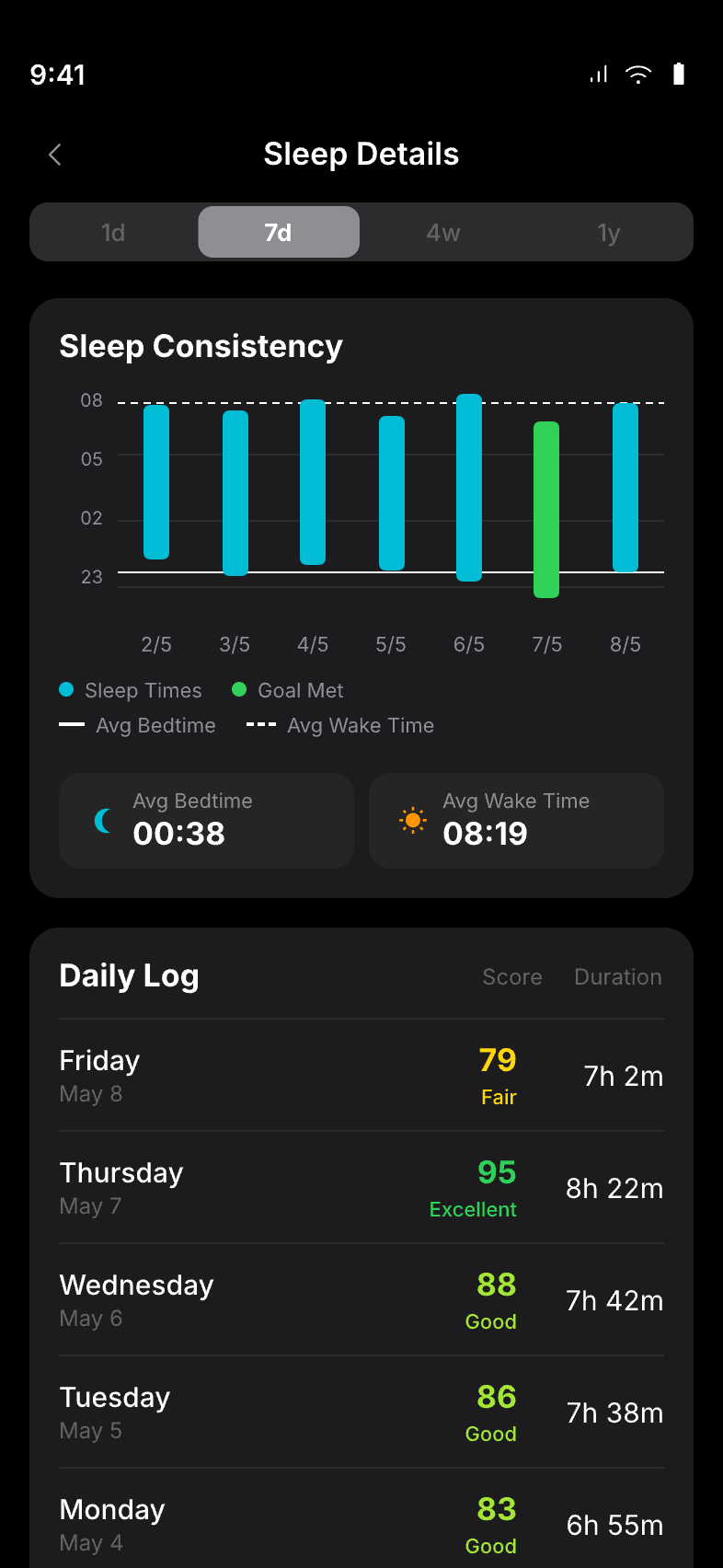
The sleep module is redesigned around narrative first, data second. A plain-language summary leads. The stage visualisation now uses a four-colour palette that passes WCAG AA contrast requirements.
Sleep Details
Sleep Details scrolled
While You Slept
7-day comparative
7-day scrolled
Sleep log & history
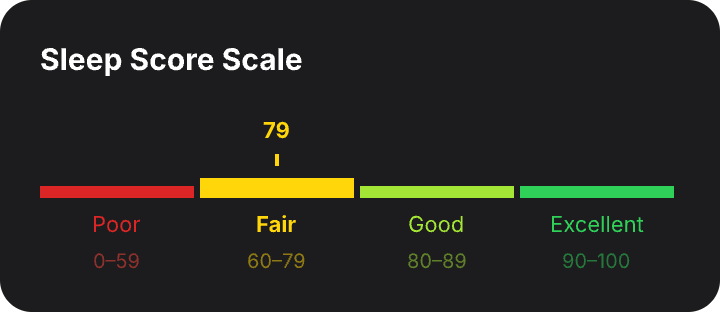
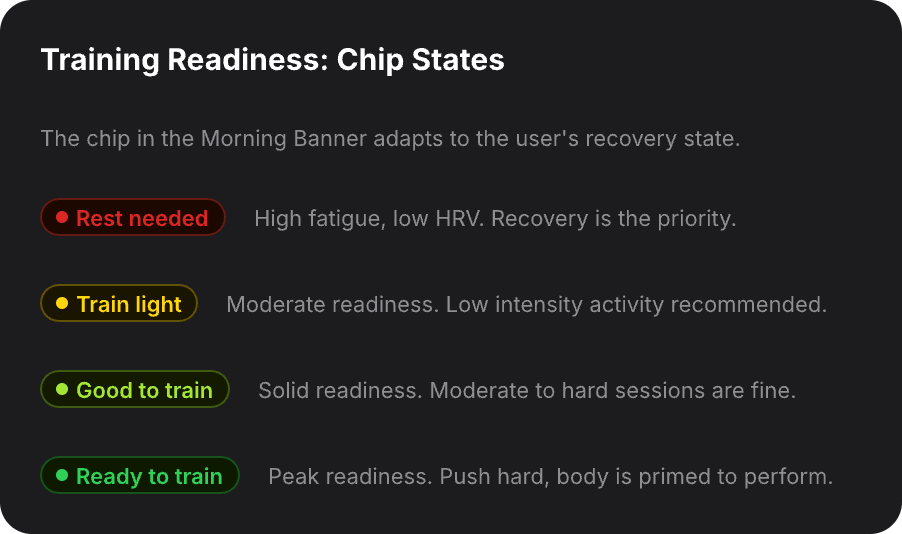
All quality ratings follow the same colour progression: yellow for Fair, lime for Good, green for Excellent. Applied consistently across the Sleep Score Scale and Training Readiness chip states so users never need to re-learn the scale when switching context.
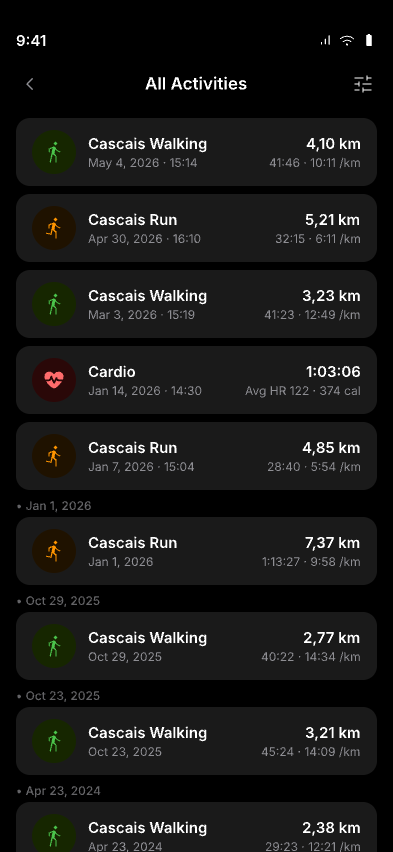
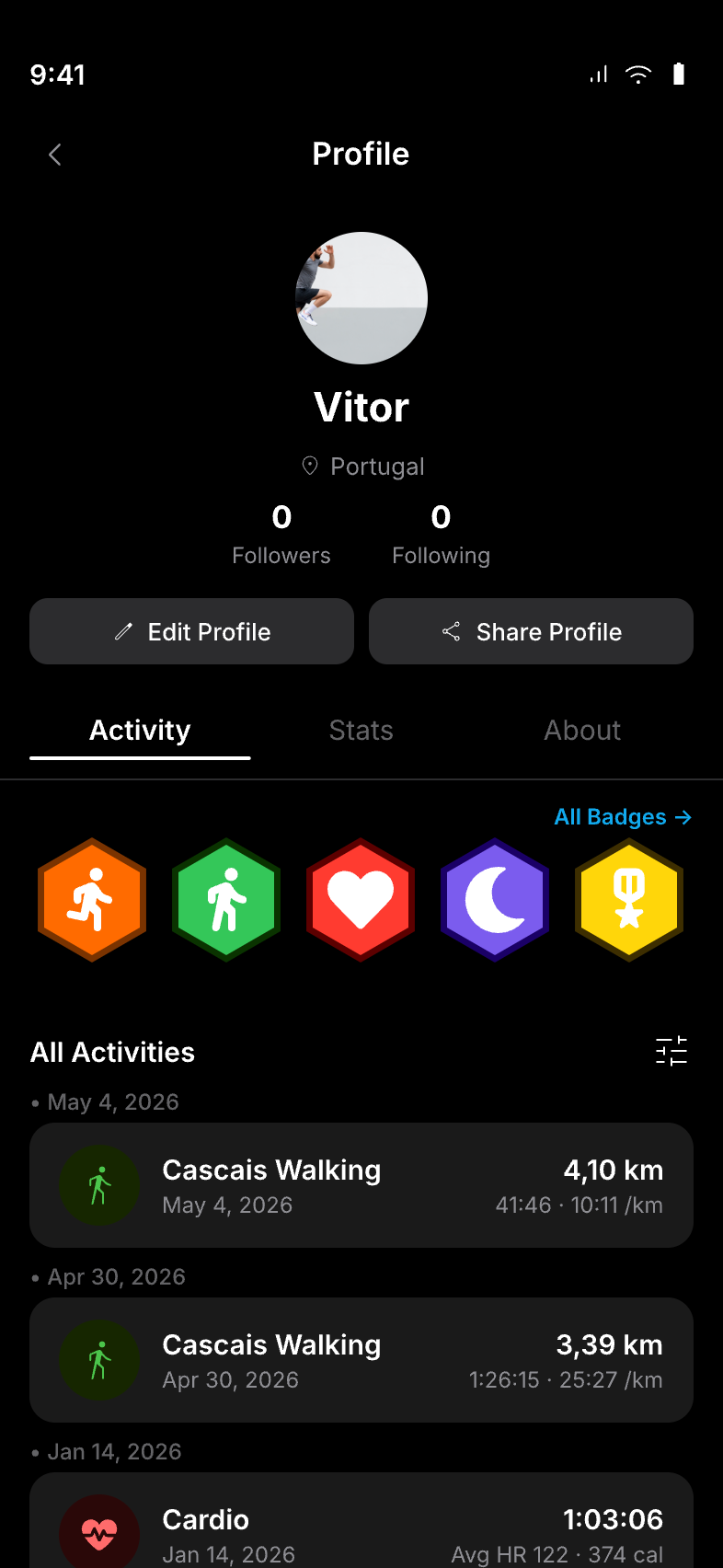
Activity history is restructured as a chronological, scannable feed, the first tab in the navigation, not buried under the profile. Each card shows the key post-workout summary: type, duration, heart rate zone, and distance at a glance. The same 'All Activities' list appears consistently on the Home screen, Profile, and Activities tab using the same card format and interaction pattern.
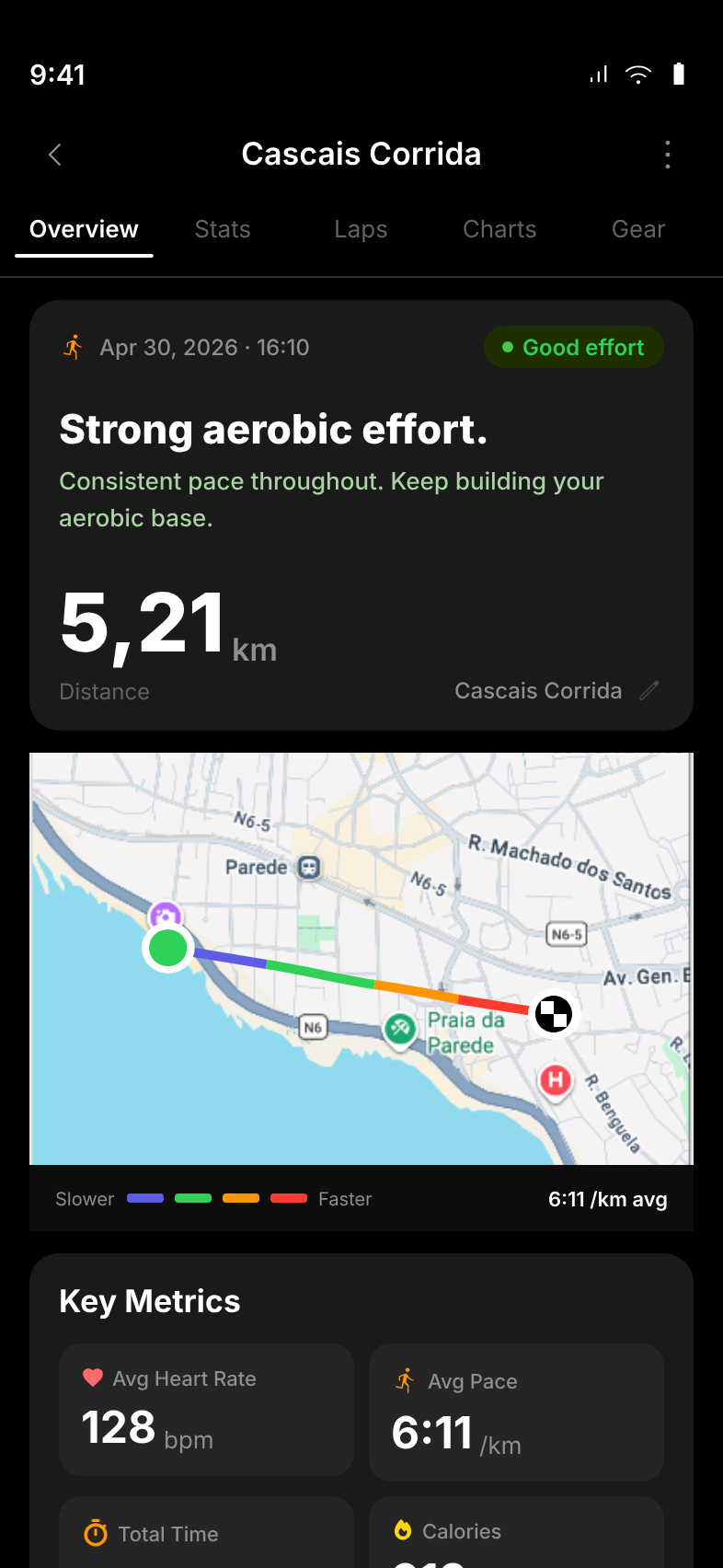
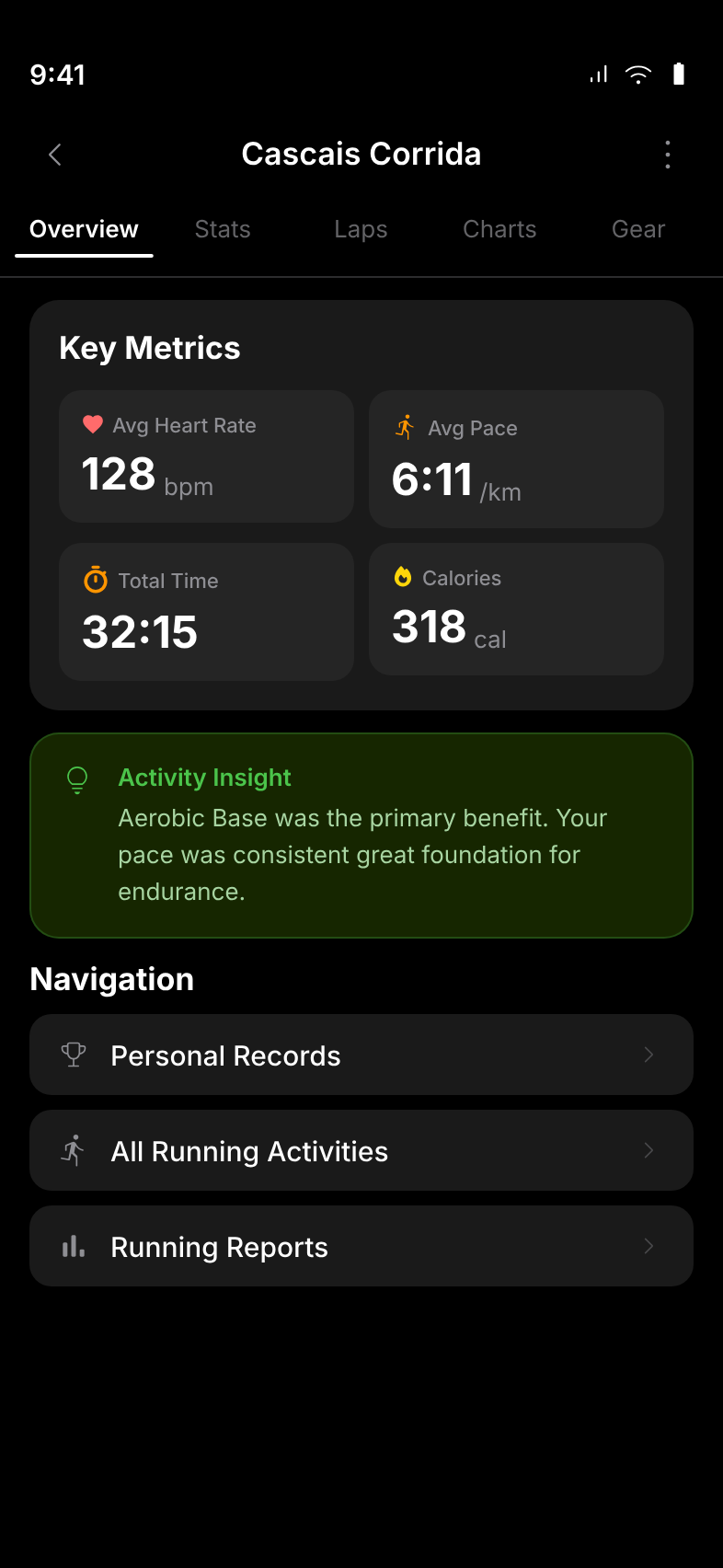
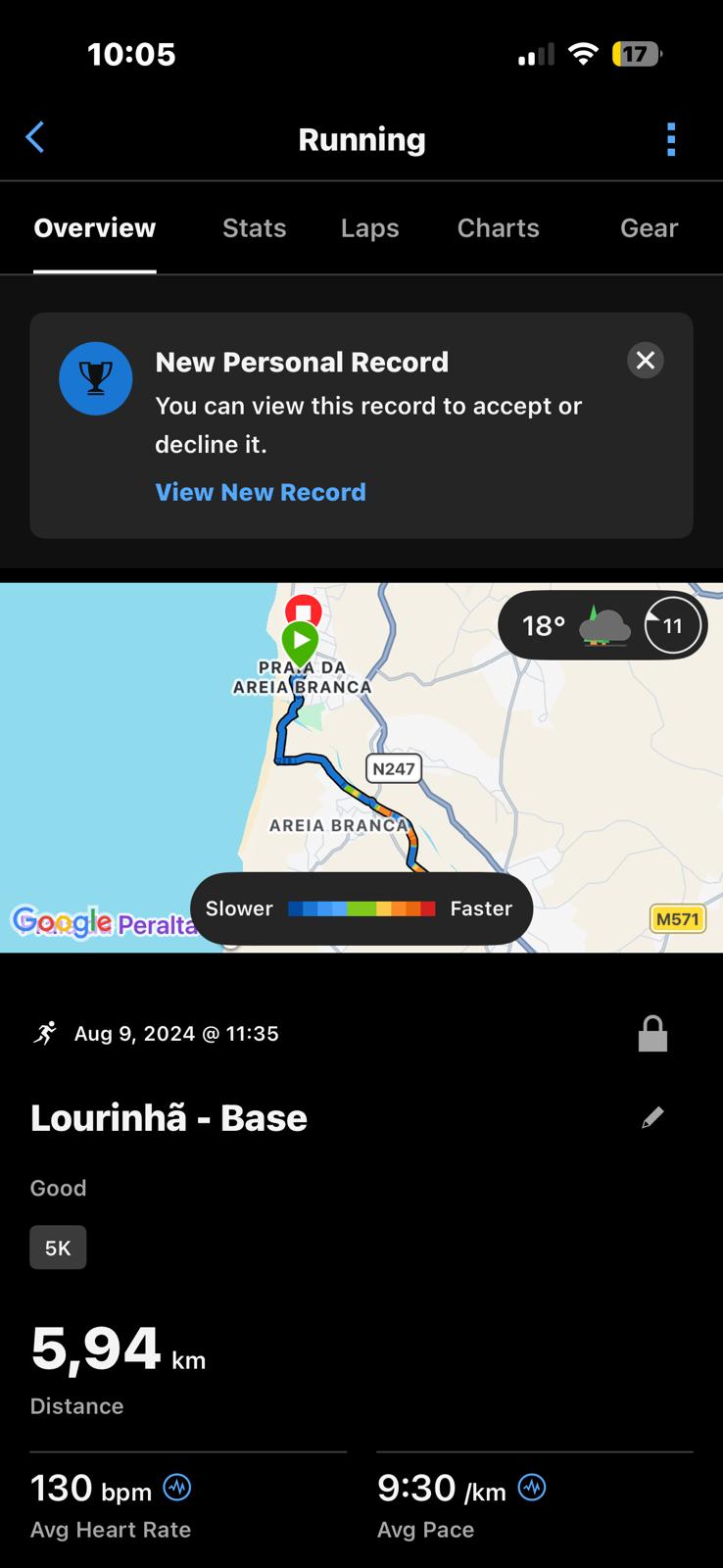
The activity detail screen is restructured around the post-workout ritual, first the headline metrics (time, distance, pace), then the heart rate story, then the technical breakdown. The route map is surfaced at the top for GPS activities.
Activity detail (left) and key metrics breakdown (right)
Before → After
Side-by-side comparisons of the most significant UX changes.
Home Screen: Adding morning narrative context
Sleep Details: Narrative summary + accessible colour system
Activities: Unified history vs. type categorisation
Activity Detail: Structured debrief hierarchy
05: OUTCOME
As a proposal, these are projected improvements based on the problems identified. Validation with real users would be required before shipping.
06: REFLECTION
Redesigning a mature product used by serious athletes surfaces a consistent tension: the richer the data, the more essential the narrative layer becomes. Without context, every metric is just a number. Working without access to Garmin's design system or analytics forced every decision to be grounded in observed behaviour rather than assumptions, which made the research stronger and the constraints more honest.
"Users don't complain about the right things, they complain about symptoms, not causes. The real problem is never what they say it is in the first answer."
Observation from the user interview process
Vitor said he checks the app "for everything." When observed live, he only checked sleep, HRV, and heart rate. The live session revealed the real mental model; the interview script alone would have missed it.
Garmin's 2024 redesign removed data clutter but replaced it with nothing. It swung from data overload to data obscurity, skipping the crucial middle state: a view that interprets rather than just displays. Reducing complexity only works when something more meaningful takes its place.
Having no access to Garmin's design system forced me to build components from first principles. Reverse-engineering the interface revealed many of the app's underlying structural problems.
The experiences reported during user interviews closely matched patterns found across App Store reviews. This convergence between interview insights and large-scale review data strengthens the findings and informs prioritisation.